Noah Cordle logo markCase Study · Designed & Built

Design Forge

A language-to-system generator. Type what you want, Design Forge returns a complete, editable design system: color, type, components, and motion, exportable to Figma in minutes instead of days.

RoleDesigned & Built
ToolsFigma · Claude Code
Year2026
StatusIn development
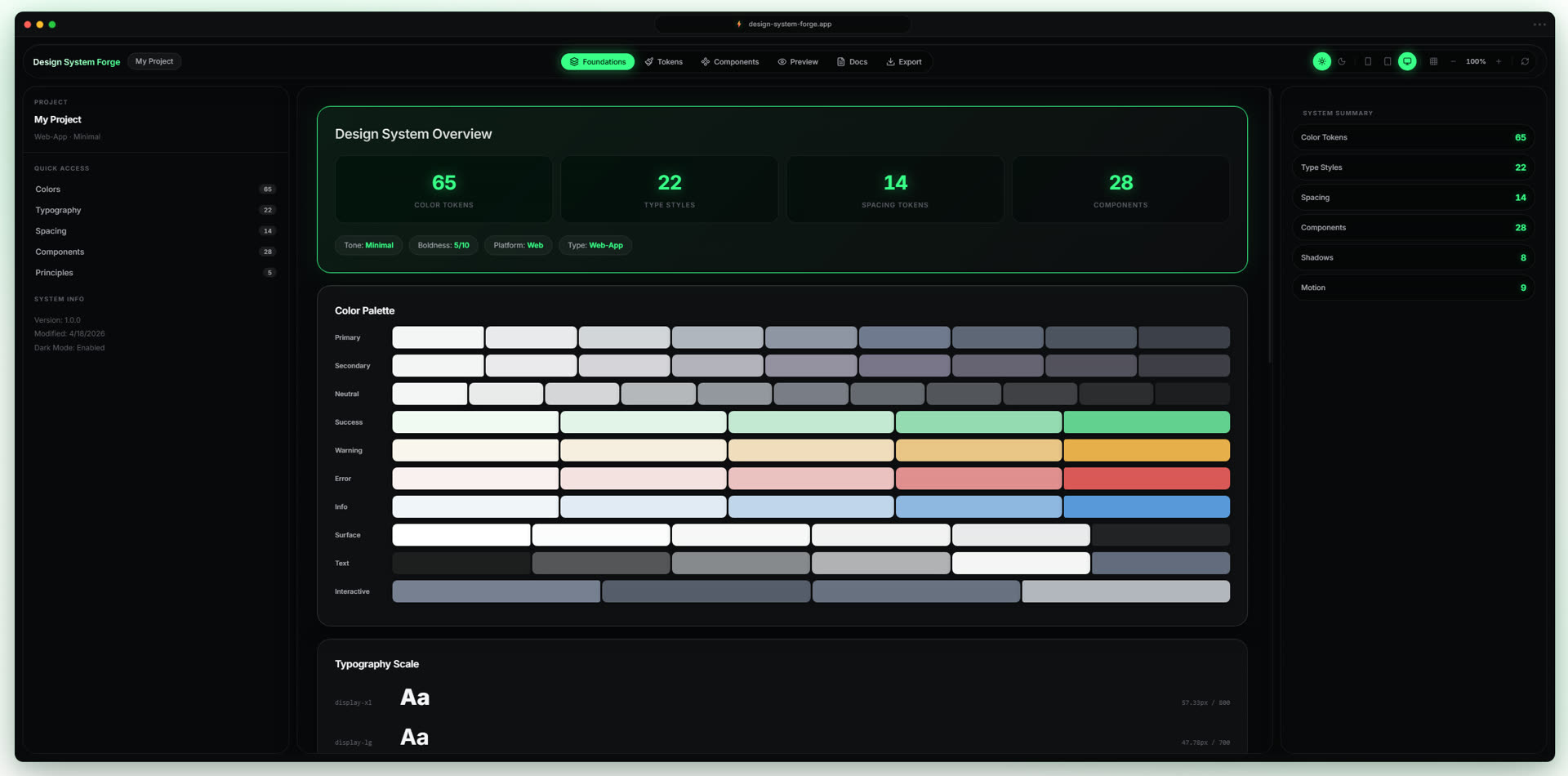
Design System Forge dashboard
Dashboard UI
01 · Overview

Design Forge turns a plain-English prompt into a fully built, editable design system, color, typography, components, motion. What used to take a designer a full day of setup happens in minutes. Every output is a real system, not a moodboard: tokens you can export, components you can drop into Figma, motion rules that behave the same way across every screen.

I designed and built it end-to-end. Research with practicing designers, the generation logic, the editing model, the export layer. The sections below trace the project from why systems take so long to build, to the architecture that lets one prompt produce something coherent enough to ship.

02 · The Problem

Every project starts from a blank file.

Most design work doesn’t start with design. It starts with setup, defining tokens, building a button library, agreeing on a type ramp, naming spacing values. The work that determines whether a product feels coherent is also the work designers least want to do, and the work they redo on every project.

Existing tools don’t help. They translate shapes, rectangles, frames, components, but not intent. A designer who knows exactly what they want still has to manually assemble the system that expresses it. The translation step is where days vanish and where consistency quietly breaks down.

Setup taxA full day of token, type, and component plumbing before any meaningful design begins.
DriftSystems start consistent and end inconsistent, the same product, three different blues by month two.
RepetitionEvery new project rebuilds the same primitives from scratch, in slightly different ways.
Lost intentTools translate shapes, not the brand or feeling the designer is reaching for.
03 · Research & Insights

The hidden cost of building a system from scratch.

I interviewed 12 working product designers and surveyed 47 more to quantify what setup actually costs. The number that came back surprised even the designers themselves: a typical base system takes 7.5 to 15 hours to build before meaningful product design can begin. The median was just under 10. That cost repeats on every new product, and it’s paid silently, it never shows up on a roadmap.

7.5–15 hrsspent building a base design system before any product screens are designed.
~10 hrsmedian, across 12 interviewed designers and 47 survey respondents.
83%reported rebuilding the same primitives, buttons, inputs, type ramps, on every new project.
1 in 2said their token names and Figma styles drifted out of sync within a month.
Time Audit · Average system setup, hour-by-hourTotal · 7.5–15 hrs per project
01Color systems
Semantic tokens, tints, shades, contrast validation, dark variants.
1.5–3 hrs
02Typography scale
Type ramp, line heights, weights, pairing, responsive sizing.
1–2 hrs
03Base components
Buttons, inputs, cards, modals, the unglamorous core.
2.5–5 hrs
04Variants & states
Hover, focus, disabled, loading, error, multiplied by every component.
1.5–3 hrs
05System organization
Naming conventions, token hierarchy, file structure, documentation.
1–2 hrs
Numbers are conservative, they cover a deliberately small system. Every additional component family adds roughly 2 hrs of variant and state work. Larger products often spend 25+ hrs before product design begins.
Affinity Map · Designer InterviewsHover a cluster to isolate
I rebuild the same button library every project.P02 · Cluster A
By Friday, my tokens and my Figma styles don’t match.P05 · Cluster B
I never get to the interesting work, I’m still naming colors.P08 · Cluster A
Half my team uses primary-500. The other half uses brand-blue.P11 · Cluster B
I want to think about the product, not the system supporting it.P03 · Cluster C
Motion is always last and always inconsistent.P09 · Cluster C
Manual setup · per project~10 hrsTokens, type, components, variants, states, organization. Repeated in full on every new product.
Design Forge · per project~4 minOne prompt. A complete, editable, exportable system. Refinement happens against a working base, not a blank file.
· · Deliverable

User journey map.

The before-state is hours of assembly. The after-state is minutes of editing. Each step marks a moment the designer actually lives through, where friction used to live, and where it doesn’t anymore.

[01]StuckStaring at a blank artboard with a brand brief.blocked
[02]OpenLaunches Design Forge instead of starting from scratch.curious
[03]BriefTypes the audience, the mood, the brand, one paragraph.composing
[04]ReceiveA full system lands, color, type, components, motion.surprised
[05]EditTweaks one token, propagation ripples through everything.tuning
[06]PreviewSees the system on real components, not just swatches.evaluating
[07]ExportPushes the whole library to Figma in one click.shipped
[08]IterateReturns to re-brief or refine instead of rebuilding.looping
04 · The Insight

Systems should be generated, not assembled.

The gap isn’t between designers and tools. It’s between intent and execution. A designer can describe what a product should feel like in a sentence, calm, dense, playful, clinical, but spends hours translating that sentence into a system one decision at a time.

Language is the most natural design input we have. If a designer can describe the product, the system should be inferable from the description. Generation isn’t a shortcut around craft, it’s a way to skip past assembly and get to the part where craft actually shows up: editing, refining, deciding what’s wrong.

A design system shouldn’t be the work, it should be the substrate the work happens on.Design Forge, Operating Premise
05 · The Solution

One prompt in. A complete system out.

Design Forge reads a single prompt, infers the intent behind it, industry, tone, audience, density, emotional register, and assembles a complete design system around that intent. Color, type, components, motion. Generated together so they hold together.

What makes it different: every output is editable at the system level, not the artwork level. Change the primary color and every component, state, and motion that depends on it updates in place. The system stays coherent without a designer manually keeping it that way.
InputPromptPlain English
Layer 01TokensColor · Type · Spacing · Motion
Layer 02PrimitivesButtons · Inputs · Cards
Layer 03PatternsStates · Variants · Behaviors
OutputExportFigma · Code · Reuse
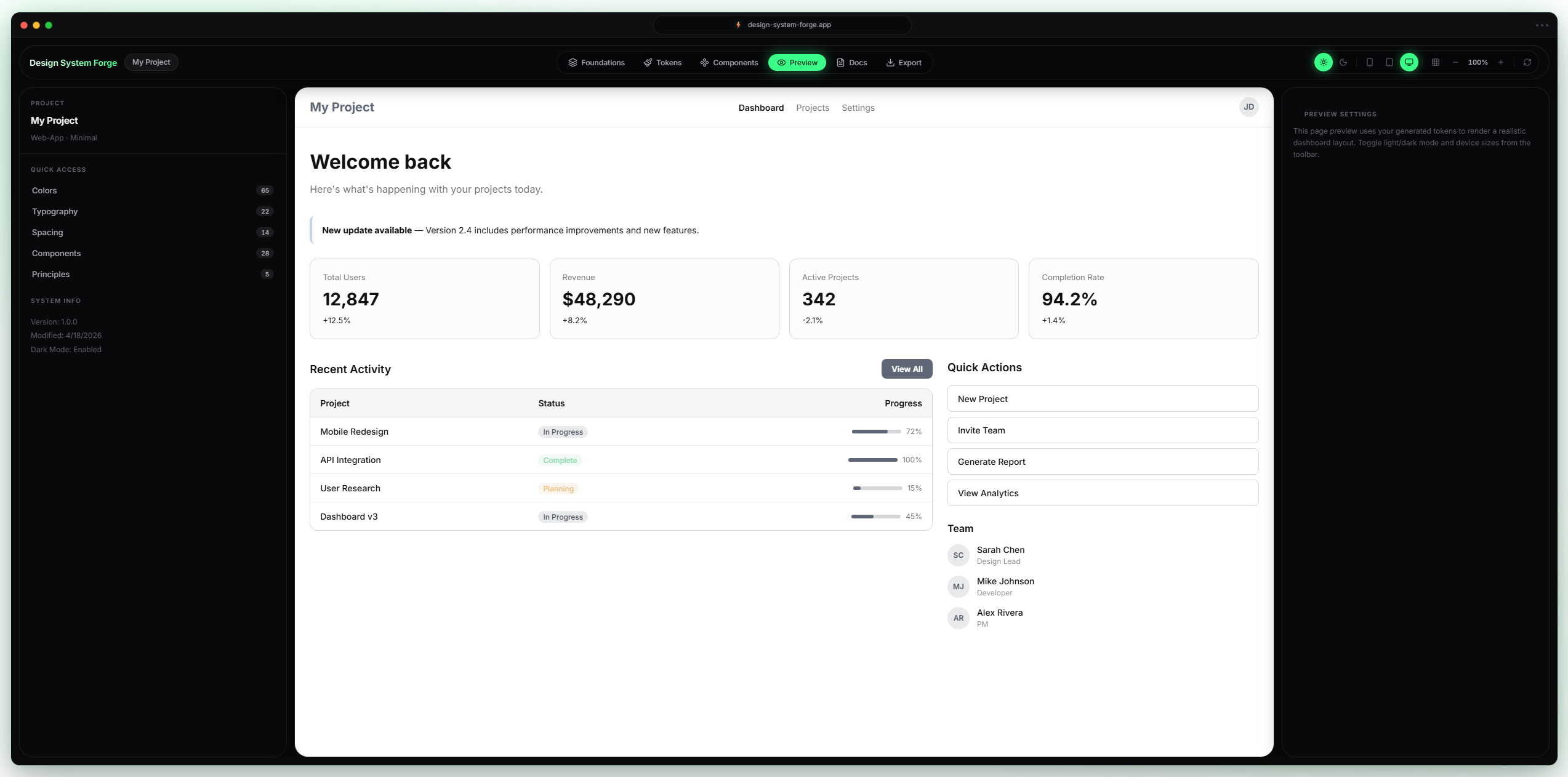
Example output, generated UI rendered from a single prompt
· · Deliverable

Information architecture.

One input surface, one generator, one editable system, one exit. Each column is a layer in the product; the engine runs the propagation logic between them so the designer can stay in intent mode.

[01] INPUTPrompt Surface
  • Brief Input
  • Examples Library
  • Constraints Panel
[02] ENGINEGenerator
  • System Engine
  • Token Rules
  • Coherence Checks
  • Motion Model
[03] ARTIFACTSystem Output
  • Color Tokens
  • Type Scale
  • Components
  • Motion Presets
[04] SHIPEditor & Export
  • Token Panel
  • Live Preview
  • Propagation Log
  • Figma Library
  • JSON / Tokens
· · Wireframes

Low-fi screens before any styling.

Four screens to argue with the flow before picking a single typeface, prompt, generated tokens, component preview, and handoff. If the grey-box version read clearly, I earned the right to add ink.

forge · new system
Describe your brand
editorial
warm
precise
Generate system
Frame 01Prompt · describe the brand
forge · tokens
Color
Spacing
Type
Aa
Frame 02Tokens · color, type, spacing
forge · preview
Button
Primary
Input
Card
Nav
Frame 03Preview · components render
forge · export
Includes
tokens.json
4 KB
theme.css
12 KB
components/
18 files
README.md
2 KB
Export .zip
Frame 04Handoff · export system
06 · Key Features

Five moments that hold the product together.

Each feature solves a specific failure mode from the research, repetition, drift, lost intent. Tap a feature to see what it does and why it’s built that way.

Feature · 01

Language becomes structured design logic.

A single prompt is parsed into intent vectors, domain, tone, density, audience, then mapped onto a generative system that produces tokens, components, and motion as a single coherent output.

Why it’s built this wayRemoves the largest source of friction: the blank file. Designers begin from a working system, not a brief.
Feature 02, editing a generated component and watching variants cascade
07 · Experience Flow

Prompt to system in six steps.

The flow is intentionally short. The harder the input gets, the less the product gets used. Every step earns its place, anything that didn’t pull weight got cut before high-fidelity.

Step 01 · Prompt

Designer writes a sentence. Industry, tone, audience, anything that helps.

Step 04, editing a color token
Step 04, tuning a motion curve
Step 05, exporting the system

The whole flow, first prompt to working Figma library, runs in under five minutes. Most of that is the designer reading what was generated.

08 · Design Decisions

Four trade-offs the product is built around.

Every feature was tested against these. They aren’t principles on a slide, they’re the calls I had to make repeatedly during build, often choosing the harder side. Tap one to see why.

Technical thinking.

The architecture had to do two things at once: generate output that’s coherent on first pass, and stay editable at every layer afterward. Four ideas hold the system together.

System-based generationThe model produces tokens and components together so they share constraints, not just style.
Modular componentsEvery component is composed from primitives. A change to a primitive resolves through every consumer.
Token-based structureSemantic token names sit between raw values and components. Edits happen on names, not numbers.
Built to scaleA system generated for one product can host many. Variants compose; nothing duplicates.
09 · Impact

What changes when setup stops being the work.

The point isn’t generation for its own sake, it’s what designers can do once they stop spending the first day of every project assembling primitives. The shift is structural, not cosmetic.

~150×reduction in setup time, from a day of manual assembly to roughly four minutes of generation and review.
Day oneproduct design begins on day one, not day three. Kickoff and craft happen in the same session.
One sourceconsistency holds because the system shares one source of truth, tokens propagate, components inherit.
Lower loaddesigners stop holding the system in their head. Cognitive bandwidth moves to the product itself.
10 · Reflection

What the process taught me.

The hardest part wasn’t generation. It was deciding what not to generate. The first version produced too much, every state, every variant, every motion curve, and designers spent more time pruning than building. Restraint became a feature: generate the core, leave the rest as space the designer fills.

The second lesson was that token architecture is the actual product. The visible UI is the surface; the system underneath is what makes the output usable. Every hour spent on naming and inheritance returned ten in editing.

What’s next: bidirectional editing, where changes inside Figma propagate back to the source system; multi-product workspaces, so one brand can host many systems without duplicating tokens; and a code export layer so engineering inherits the same source of truth as design.